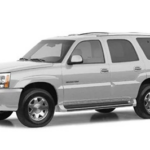
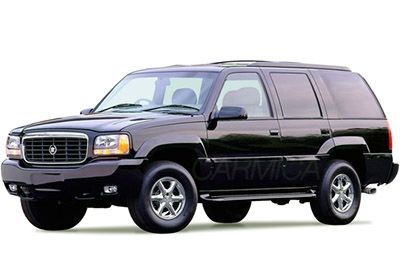
Access Cadillac Escalade fuse box diagrams for 1999–2000 models with relay assignments, fuse locations, panel layouts, and electrical system details. This article covers the first-generation Cadillac Escalade (Model Code: GMT 400) , available from 1999 , and includes fuse box diagrams for Cadillac Escalade 1999 and 2000 , along with details about the location of the fuse panels inside the vehicle and a clear explanation of the assignment of each fuse and relay (fuse layout).
NEED A REPLACEMENT?
Looking for the right fuse or relay?
Search common fuse types, fuse kits and relay options for your vehicle.
Find Fuses & Relays
→
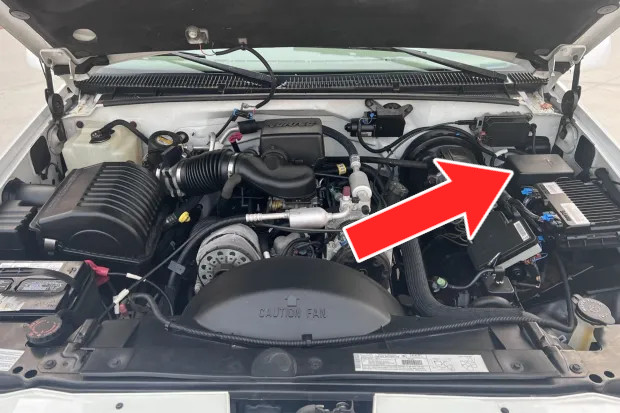
The underhood fuse/relay center is positioned at the rear of the engine compartment, close to the brake fluid reservoir. To reach the fuse block, move the cover’s retainer clips.
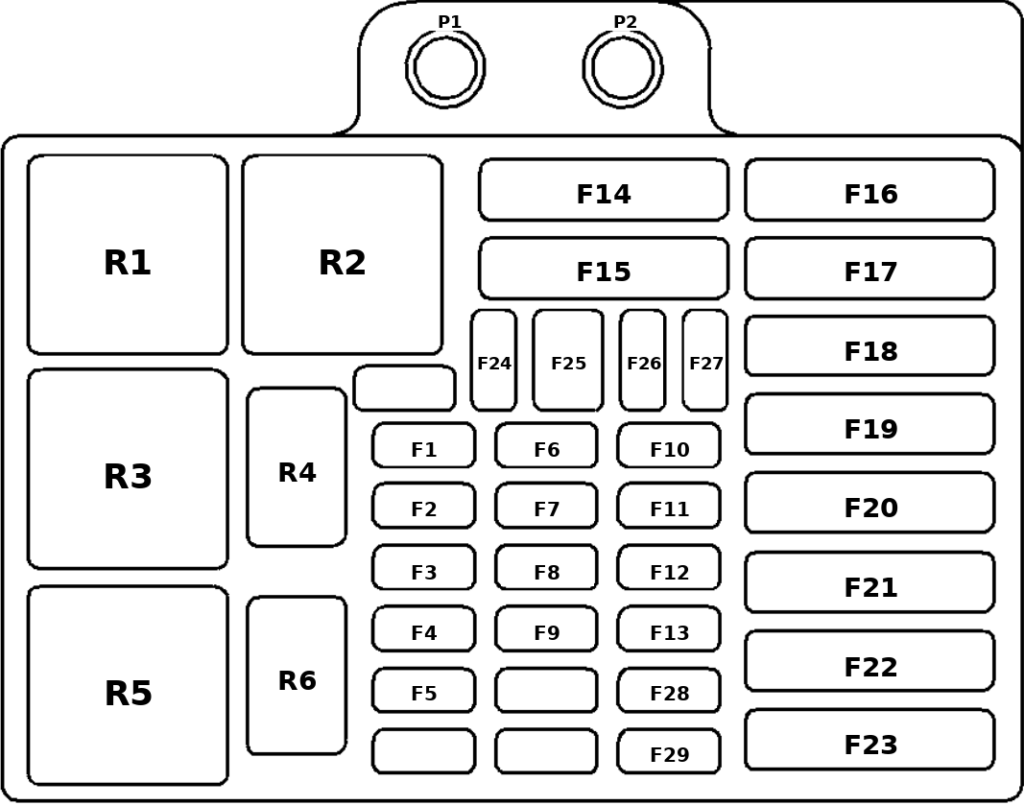
Assignment of the fuses in the engine compartment fuse box
Fuse Data
Full access is available to registered users — log in or register.
Log in or register
No. Short-Code Description P1 AUX B Power Post Auxiliary power terminal P2 AUX A Power Post Auxiliary power terminal R1 Starter Relay Starter relay R2 Brake Lamp Relay Brake lamp relay R3 A/C Relay Air conditioning relay R4 A.I.R. Relay A.I.R. relay / Mark Eng R5 Fuel Pump Relay Fuel pump relay R6 Horn Relay Horn relay F1 ECM-B Fuel Pump, PCM/VCM F2 RR DEFOG Rear Window Defogger F3 IGN-E Auxiliary Fan Relay Coil, A/C Compressor Relay, Hot Fuel Module F4 FUEL SOL Not Used F5 GLOW PLUG Not Used F6 HORN Horn, Underhood Lamp F7 AUX FAN Auxiliary Fan F8 ECM-1 Injectors, PCM/VCM F9 HTD ST-FR Heated Front Seats F10 A/C Air Conditioning F11 HTD MIR Heated Outside Mirrors F12 ENG-1 Ignition Switch, EGR, Canister Purge, EVRV Idle Coast Solenoid, Heated O2 F13 HTD ST-RR Heated Rear Seats F14 AUX B Trailer Wiring F15 AUX A SEO Wiring F16 LIGHTING Headlamp and Panel Dimmer Switch, Fog and Courtesy Fuses F17 BATT Battery, Fuse Block Busbar F18 IGN A Ignition Switch F19 IGN B Ignition Switch F20 ABS Anti-Lock Brake Module F21 BLOWER Hi Blower and Rear Blower Relays F22 STOP/HAZ Stoplamps F23 HEATED SEATS Heated Seats F24 SPARE Spare F25 FUSE PULLER Fuse puller F26 SPARE Spare F27 SPARE Spare F28 DIODE-I Diode I F29 DIODE-II Diode II
This content requires JavaScript and a valid membership to view.
Assignment of the relays in the engine compartment fuse box
Fuse Data
Full access is available to registered users — log in or register.
Log in or register
No. Description R1 Starter Relay R2 Brake Lamp Relay R3 A/C Relay R4 A.I.R. Relay R5 Fuel Pump Relay R6 Horn Relay
This content requires JavaScript and a valid membership to view.
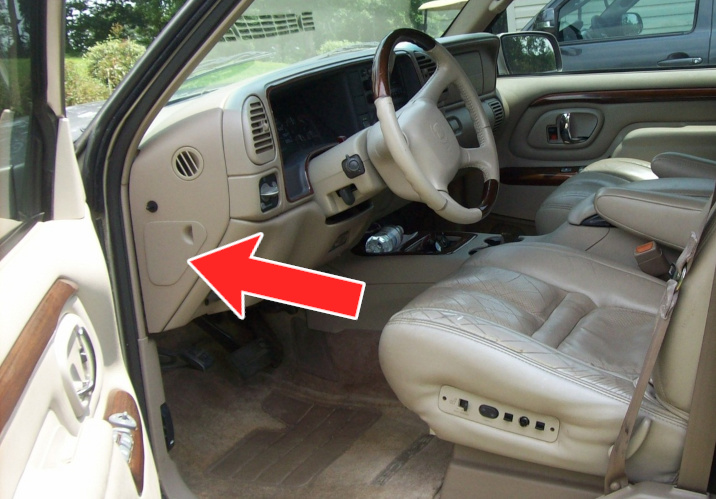
The fuse block access door is located on the driver’s side edge of the instrument panel. Remove the cover to reach the fuse block.
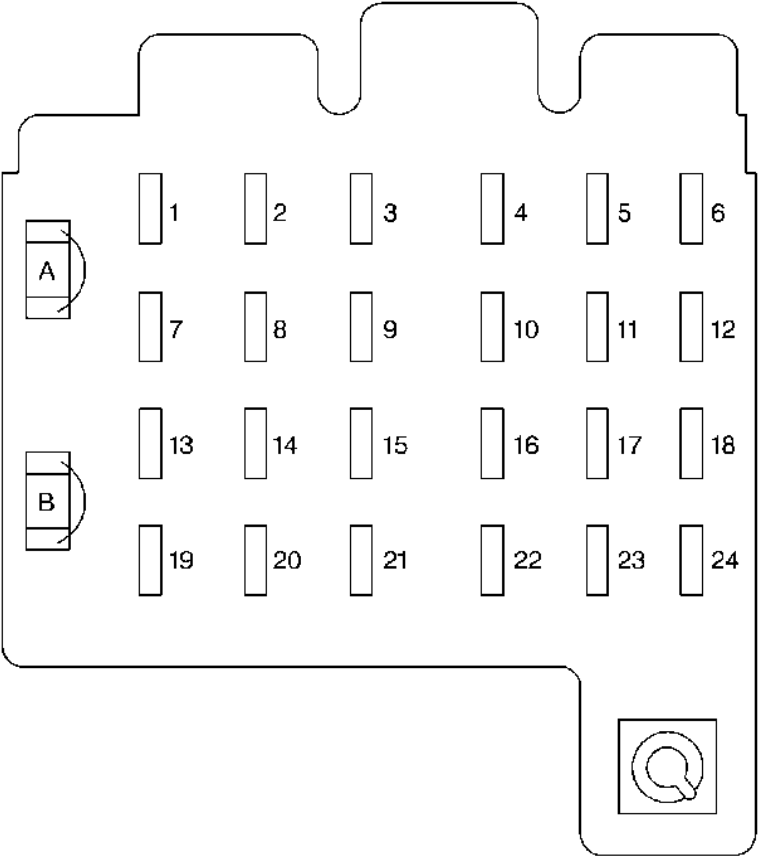
Assignment of the fuses in the instrument panel fuse box
Fuse Data
Full access is available to registered users — log in or register.
Log in or register
No. Description 1 Stop/TCC Switch, Buzzer, CHMSL, Hazard Lamps, Stoplamps 2 Transfer Case 3 Courtesy Lamps, Cargo Lamp, Glove Box Lamp, Dome/Reading Lamps, Vanity Mirrors, Power Mirrors 4 Instrument Cluster, DRL Relay, Lamp Switch, Keyless Entry, Low Coolant Module, Illuminated Entry Module 5 Rear Comfort Controls 6 Cruise Control 7 Auxiliary Power Outlet 8 Crank 9 License Lamp, Parking Lamps, Taillamps, Tailgate Lamps, Front Sidemarkers, Fog Lamp Relay, Door Switch Illumination, Fender Lamps, Headlamp Switch Illumination 10 Air Bag System 11 Wiper Motor, Washer Pump 12 A/C, A/C Blower, High Blower Relay 13 Power Amp, Rear Liftglass, Cigarette Lighter, Door Lock Relay, Power Lumbar Seat 14 4WD Indicator, Cluster, Front and Rear Comfort Controls, Instrument Switches, Radio Illumination, Chime Module 15 DRL Relay, Fog Lamp Relay 16 Front and Rear Turn Signals, Back-Up Lamps, BTSI Solenoid 17 Radio (Ignition) 18 4WAL/VCM, ABS, Cruise Control 19 Radio (Battery) 20 PRNDL, Automatic Transmission, Speedometer, Check Gages, Warning Lights 21 Security/Steering 22 Auxiliary Power, Headlamp Delay 23 Rear Wiper, Rear Washer Pump 24 Front Axle, 4WD Indicator Lamp, TP2 Relay
This content requires JavaScript and a valid membership to view.
Assignment of the circuit breakers in the instrument panel fuse box
Fuse Data
Full access is available to registered users — log in or register.
Log in or register
No. Description A Power Door Lock, Six-Way Power Seat, Keyless Entry Module B Power Windows
This content requires JavaScript and a valid membership to view.